As promised, here are the steps to embed a YouTube movie into your Friendster blog. Note that all other websites that points you to embed from inside YouTube is just fucking wrong! If you still don’t know, allow me to share with you the details of it.
Let me first show you the wrong way to do it. If you have already tried to embed it and failed, you’ll know how frustrating this is.
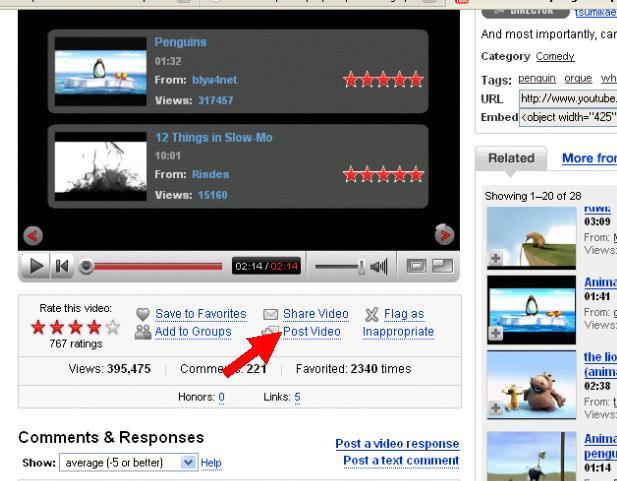
First, open you YouTube video and click on “Post Video”
You’ll be shown your list of websites that you want to embed to. Choose Friendster, type some notes if you want to and click “Post to Blog”
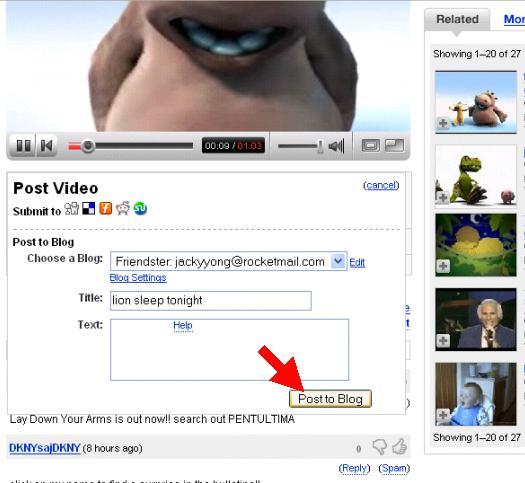
But when you open you Friendster blog, WTF??!! No videos? You have only succeeded in adding to your profile, NOT your blog. How stupid is that?
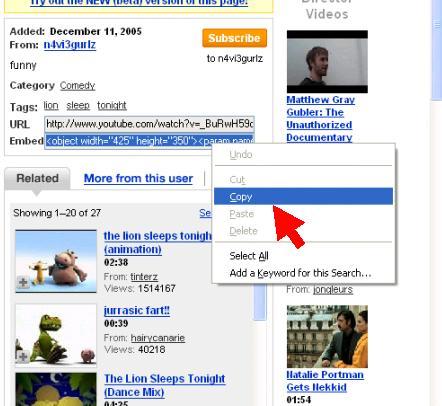
To overcome this problem, right click and copy from the “Embed” textbox instead:
Then in your blog, click on the “Insert Link” button.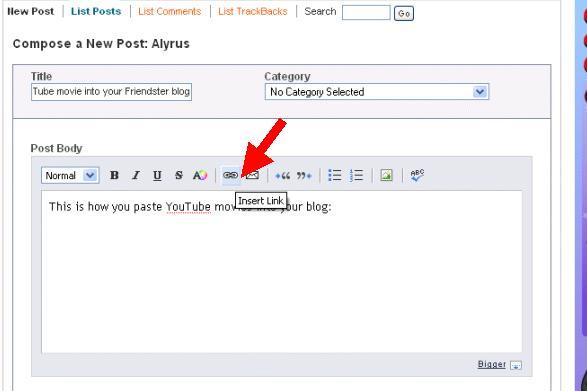
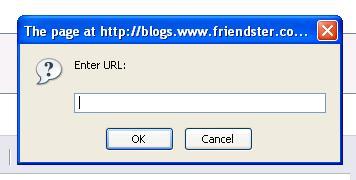
In the Enter URL page, DELETE ALL VALUES, leave it as blank! This is a very important step, else you will not be able to play your video properly later.
In the next step, “Enter Text to Link”, paste the bunch of text that you have copied earlier. Pressing Ctrl + V should do the trick.
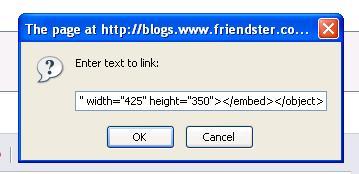
Hit OK, and there you’ll have it! You will not be able to see anything until you preview it. Try it out and see!
This tips was made possible with a little help from an old friend. Thanks a bunch! 😉
This blog won’t be complete without a proper YouTube video now, would it? So here is one of my favourite music videos. Enjoy!
Like the Hippo!
thanks dude…
aww..man, thanks a bunch!
Hey, no problem guys! I’m just glad that I can help out, although I don’t blog in Friendster anymore! 😉
hey my account in youtube does not show friendster in the poting list. it only shows facebook, how come?
I guess that YouTube must have changed their website. I can see that the posting to Friendster has now been removed. It has been so long since I last made this post.
Man, that was so cool. Thanks a lot. I was trying to figure that out for a while now. Thanks!!
hello..just want to thank you for the info. i tried it and it works 😀 thanks so much 😀 been wanting to do this for so long 😀
thank you very much… i got it now ..
its really works…..
it doesnt seem to work any longer. friendster has changed the layout to compose blogs.
Really? Aww … shucks…. thanks a lot for highlighting that. I rarely go to Friendster blog nowadays anyway.
Thank you for your website 😉
I made with photoshop backgrounds for myspace or youtube and even more
my backgrounds:
have a good day and thank you again!
thx for you teach……….
cant put video